
- PRODUCTSFREEWAREFOR COMMERCIAL USEFOR PERSONAL AND BUSINESS USEBackup and System Restore:PC Privacy and Security:
- BUY ONLINE
- DISTRIBUTION
- Contents
- Index
- Quick Start Guide in 3 Steps
- Features
- Advanced Options
- Definitions
- Contact and Support
- System Requirements
� 2026 R-Tools Technology Inc.
All rights reserved.
Upgrade
There are two license types for R‑Undelete:
R‑Undelete SE/Home
R‑Undelete Home is free for home users. It recovers files from FAT/exFAT storage devices, like external USB hard drives and sticks, and digital photo and video camera memory cards. In addition to Quick Scan , R‑Undelete Home uses the Deep Scan procedure to find files using their file signatures , which makes R‑Undelete Home is an ideal solution for recovery lost digital photos, movies, and music.
This free version also allows its users to evaluate how the software recovers lost files from the NTFS and ReFS file systems, for which it is fully functional to save recovered files smaller than 1MB. Regardless of this limitation, all recovered files can be viewed in the build-in viewer to estimate recovery chances before you upgrade the Home version for recovery from NTFS disks.
R‑Undelete
R‑Undelete has no limitations and recovers lost files from NTFS, NTFS5 (created or updated by Win2000/XP/2003/Vista/2008/2012/2016/Win7/Win8/Win10/Win11) and ReFS/ReFS2+ (Resilient File System, Windows 2012/2016 Server) disks as well as recovers them from FAT (FAT12, FAT16, FAT32, exFAT) disks. Moreover, it can recover files from any storage volumes visible to the host OS. Those can be software and hardware RAIDs, Windows Storage Spaces, and alike.
Upgrading to R-Studio
If for any reason you want to switch the license to our professional data recovery tool R-STUDIO, R‑Undelete can be upgraded to R-STUDIO for the initial price difference.
Upgrading to R‑Undelete
Note: R‑Undelete SE/Home installed on a portable device cannot be upgraded to R-Undelete.
You need to have an active internet connection to perform this procedure on-the-fly, even during file recovery operations. The program doesn't have to be restarted i this case.
1. Click the Help button and select Upgrade on the shortcut menu
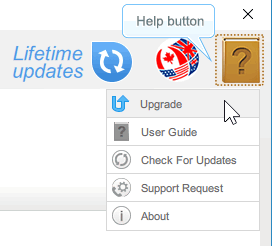
or select About on the shortcut menu and then click the Upgrade button on the About dialog box.
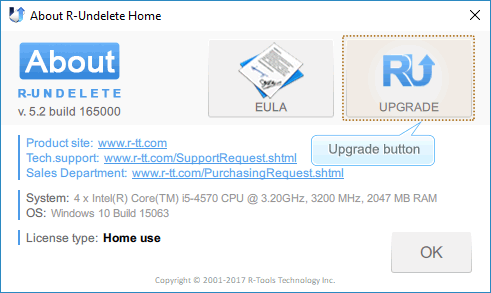
2. Enter the license key and click the OK button
The license key can be bought online on the R-TT, Inc site.
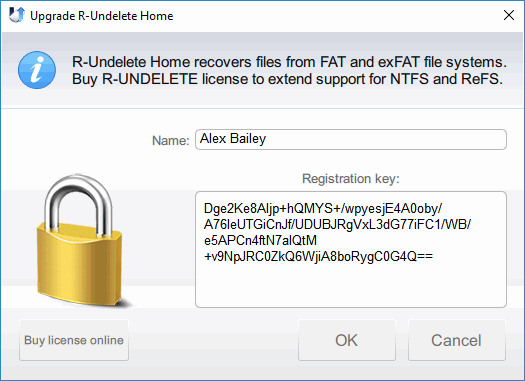
Copy and paste the key, do not try to type it in manually.
3. Read the License Agreement and Activation, select the checkbox, and click the OK button
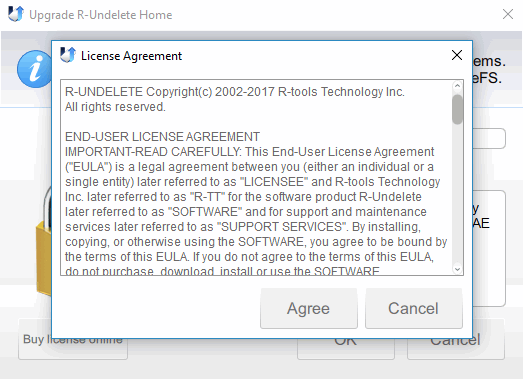
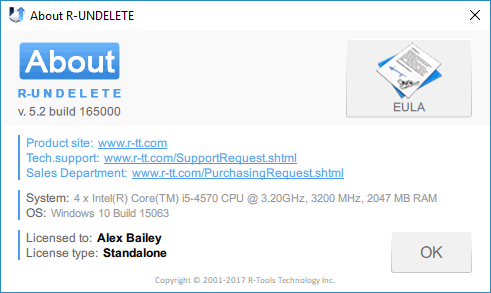
And the About dialog will change its appearance.
If the computer to be licensed is offline, the Online Activation dialog box will appear.
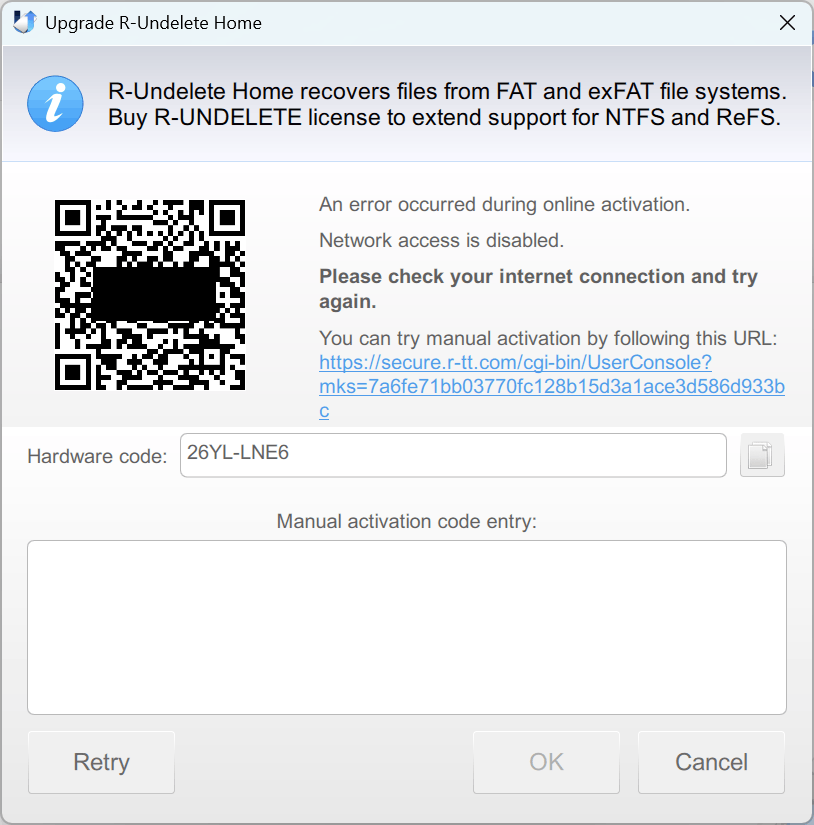
You can either copy and use the provided URL on another device connected to the Internet, or scan the QR code with a smartphone to get the activation code and enter it to complete the activation.
Now R‑Undelete can deliver all its power in file recovery.
License transfer
R-Undelete licenses are transferable. You may transfer your R-Undelete from one computer to another provided that the license on the first computer is deactivated.
1. Click the Help button and select Deactivate on the shortcut menu
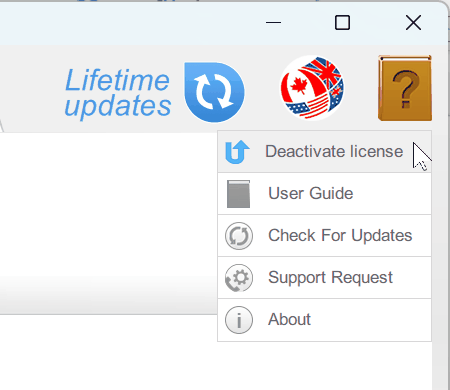
>. The You are about to deactivate... message will appear.
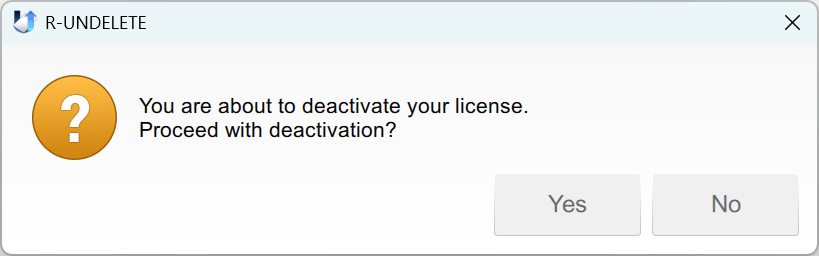
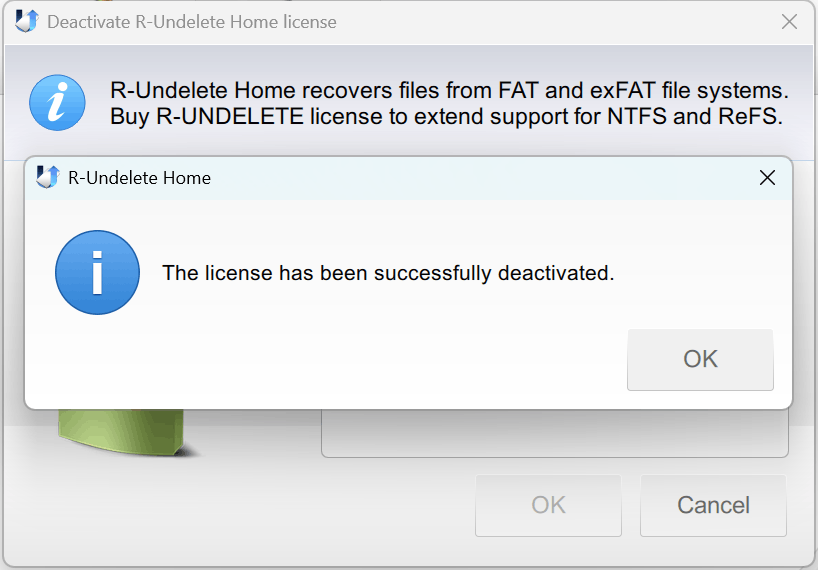
2. Click Yes and wait for the The license has been successfully deactivate message to appear.
- R-Studio Technician: activation using a USB stick
- Data Recovery Guide
- Why R-Studio?
- R-Studio for Forensic and Data Recovery Business
- R-STUDIO Review on TopTenReviews
- File Recovery Specifics for SSD devices
- How to recover data from NVMe devices
- Predicting Success of Common Data Recovery Cases
- Recovery of Overwritten Data
- Emergency File Recovery Using R-Studio Emergency
- RAID Recovery Presentation
- R-Studio: Data recovery from a non-functional computer
- File Recovery from a Computer that Won't Boot
- Clone Disks Before File Recovery
- HD Video Recovery from SD cards
- File Recovery from an Unbootable Mac Computer
- The best way to recover files from a Mac system disk
- Data Recovery from an Encrypted Linux Disk after a System Crash
- Data Recovery from Apple Disk Images (.DMG files)
- File Recovery after Re-installing Windows
- R-Studio: Data Recovery over Network
- How To Use R-Studio Corporate Package
- Data Recovery from a Re-Formatted NTFS Disk
- Data Recovery from an ReFS disk
- Data Recovery from a Re-Formatted exFAT/FAT Disk
- Data Recovery from an Erased HFS Disk
- Data Recovery from an Erased APFS Disk
- Data Recovery from a Re-Formatted Ext2/3/4FS Disk
- Data Recovery from an XFS Disk
- Data Recovery from a Simple NAS
- How to connect virtual RAID and LVM/LDM volumes to the operating system
- Specifics of File Recovery After a Quick Format
- Data Recovery After Partition Manager Crash
- File Recovery vs. File Repair
- Data Recovery from Virtual Machines
- How to Recover Files from a Remote Computer Using R-Studio Standalone License and Its Network Capabilities in Demo Mode
- How to Connect Disks to a Computer
- Emergency Data Recovery over Network
- Data Recovery over the Internet
- Creating a Custom Known File Type for R-Studio
- Finding RAID parameters
- Recovering Partitions on a Damaged Disk
- NAT and Firewall Traversal for Remote Data Recovery
- Data Recovery from an External Disk with a Damaged File System
- File Recovery Basics
- Default Parameters of Software Stripe Sets (RAID 0) in Mac OS X
- Data Recovery from Virtual Hard Disk (VHD/VHDX) Files
- Data Recovery from Various File Container Formats and Encrypted Disks
- Automatic RAID Parameter Detection
- IntelligentScan Data Recovery Technology
- Multi-pass imaging in R-Studio
- Runtime Imaging in R-Studio
- Linear Imaging vs Runtime Imaging vs Multi-Pass Imaging
- USB Stabilizer Tech for unstable USB devices
- Joint work of R-Studio and PC-3000 UDMA hardware
- Joint work of R-Studio and HDDSuperClone
- R-Studio T80+ - A Professional Data Recovery and Forensic Solution for Small Business and Individuals Just for 1 USD/day
- Backup Articles
- R-Drive Image Standalone and Corporate license transferring
- Fixing Windows update error 0x80070643 with R-Drive Image
- Backup with Confidence
- R-Drive Image as a free powerful partition manager
- Computer Recovery and System Restore
- Disk Cloning and Mass System Deployment
- Accessing Individual Files or Folders on a Backed Up Disk Image
- R-Drive Image startup / bootable version
- File Backup for Personal Computers and Laptops of Home and Self-Employed Users
- Creating a Data Consistent, Space Efficient Data Backup Plan for a Small Business Server
- How to Move the Already Installed Windows from an Old HDD to a New SSD Device and Create a Hybrid Data Storage System
- How to Move an Installed Windows to a Larger Disk
- How to Move a BitLocker-Encrypted System Disk to a New Storage Device
- How to backup and restore disks on Linux and Mac computers using R-Drive Image
- R-Drive Image and Virtual Machines
- Undelete Articles
- Get Deleted Files Back
- Free Recovery from SD and Memory cards
- R-Undelete: Video Recovery
- Recovery from an External Device with a Damaged File System
- File recovery from a non-functional computer
- Free File Recovery from an Android Phone Memory Card
- Free Photo and Video File Recovery Tutorial
- Easy file recovery in three steps